












From the manufacturer


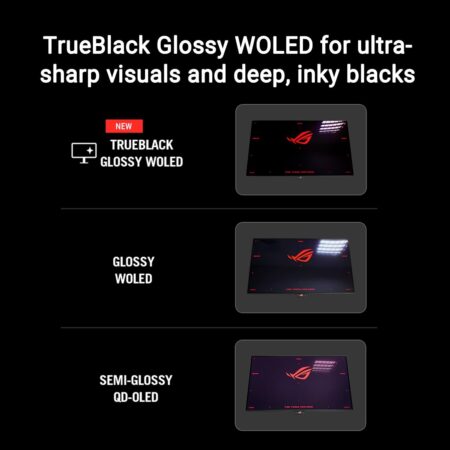
Exclusive TrueBlack Glossy OLED
The ROG Strix OLED XG32UCWG features a new TrueBlack Glossy OLED panel with a zero-haze optical layer that presents deep blacks under any lighting. Its advanced anti-reflective coating reduces ambient reflections by 38% compared to previous-gen glossy WOLEDs, ensuring zero distraction gaming even in brightly lit rooms.

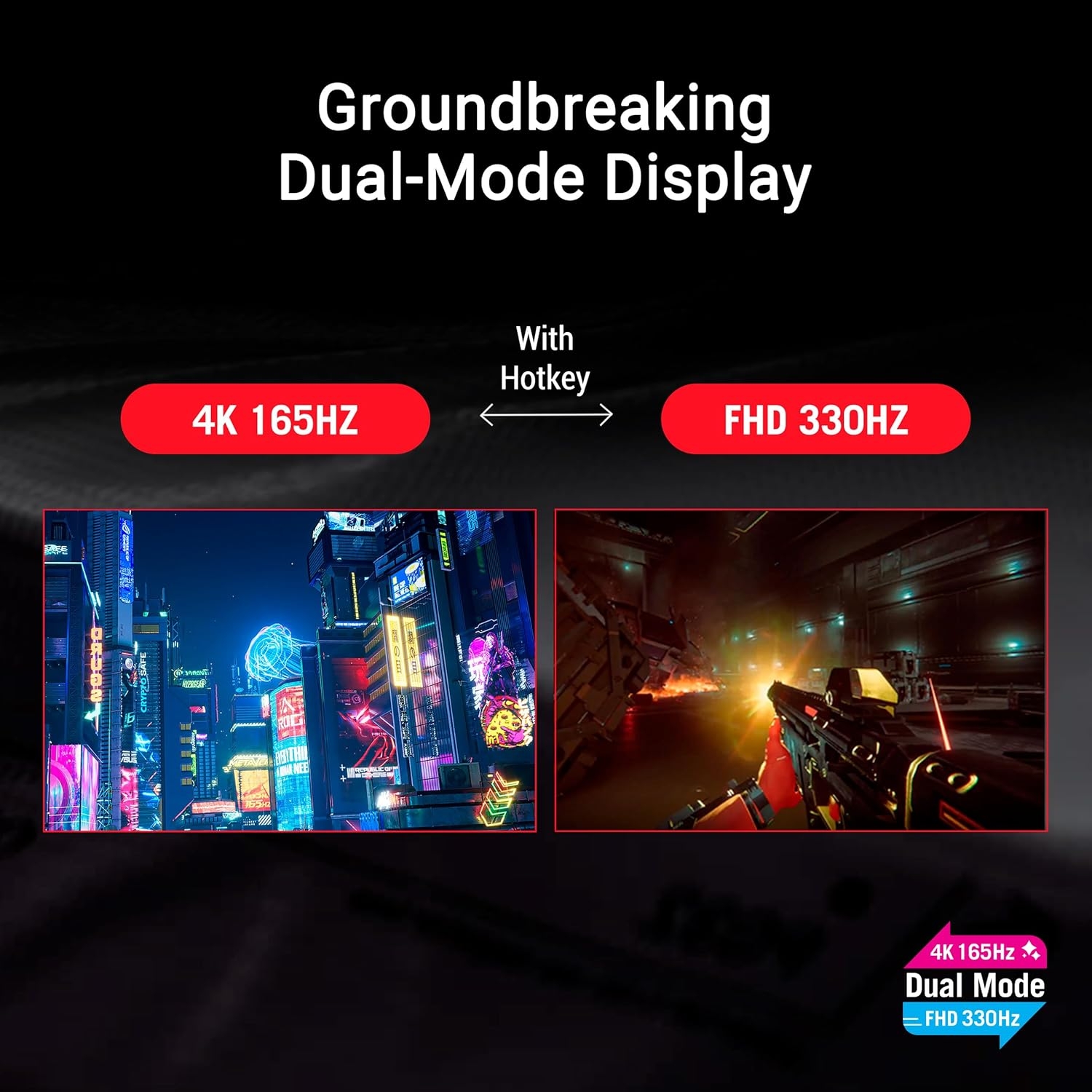
Groundbreaking Dual-Mode Feature
The ROG Strix OLED XG32UCWG offers unparalleled flexibility with its dual-mode feature, enabling users to prioritize refresh rate for fast-paced action or extreme resolution for immersive visuals. A simple press of the hotkey instantly switches between stunning 4K@165Hz imagery for AAA titles and blazing-fast FHD@330Hz for FPS gaming.

Extreme Low Motion Blur
Exclusive ASUS Extreme Low Motion Blur technology reduces ghosting and motion blur.

OLED Advantages
The extremely high contrast ratio offered by the OLED panel results in the deepest black hues and vivid colors. Plus, an astounding 0.03ms gray-to-gray response time ensures supersmooth, low-latency gameplay.

ASUS OLED CARE PRO
New ASUS OLED Care Pro technology provides a full set of customizable monitor settings to protect and ensure the longevity of the OLED panel. Plus, it includes the new Neo Proximity Sensor designed to guard against panel burn-in. All settings can be easily managed via DisplayWidget Center.

Zero Worry OLED Monitor
ROG OLED monitors are engineered to deliver stunning visuals for years to come. An innovative custom heatsink and a unique internal airflow design improve cooling and reduce the risk of burn-in.

ROG OLED Anti-stutter
ROG-exclusive OLED Anti-Stutter technology offers three refresh rate ranges – High, Mid, Off – to reduce screen stutter during frame rate fluctuations and maintain an immersive gaming experience.

Compact and Ergonomic Design
The new ROG Strix OLED series monitors feature a new compact stand that’s 45% smaller than those found on previous-generation XG monitors, saving up valuable desk space for a keyboard and mouse. The stand offers tilt, swivel, and height adjustments for the ideal viewing position. The display is also VESA wall-mount-compatible.

DisplayWidget Center
DisplayWidget Center is a powerful monitor management software designed to help users optimize, personalize, and fully utilize their display via a mouse – so there’s no need to access the OSD menu. Additionally, DisplayWidget Center offers firmware update notifications and includes a direct update option. Users can also import or export display configurations for sharing.








Reviews
There are no reviews yet.